Customizing the GNOME Shell
March 22, 2016
A couple of weeks back I was customizing the GNOME Shell on my openSUSE Tumbleweed laptop by tinkering with the CSS files of the desktop theme. A colleague of mine who peeked onto my screen at that moment, as he needed to show me something, nudged at the ugly rounded-corner buttons he saw on the taskbar. To be precise that was the “window list” that he saw, an extension that can be installed from gnome.org.
I told him it only requires editing the Cascading Style Sheet (CSS) of the extension, which could be found at /usr/share/gnome-shell/extensions/[email protected], to adapt it to the desktop theme and make it more appealing. In fact, it did not take long to realize that removing the border-radius and the box-shadow actually blended the button better with the theme.

.window-button > StWidget {
  -st-natural-width: 18.75em;
  max-width: 18.75em;
  color: #bbb;
  background-color: #393f3f;
  /* border-radius: 1px; /
  padding: 3px 6px 1px;
  / box-shadow: inset 1px 1px 4px rgba(255,255,255,0.5); */
  text-shadow: 1px 1px 4px rgba(0,0,0,0.8);
}
He then pointed to the title bar of the Firefox window and said “see, this thickness of the title bar makes it consume screen space.”
I looked at the window and replied “yeah, indeed but those should be configurable in some CSS file lying around too.”
I then got back to work. Today, however, I looked at the title bar again and thought of reducing its size. A few hacks have been proposed by people who wished to achieve the same. The best proposal I saw was configuring through the gtk.css file rather than editing the individual theme files. If you do not find the gtk.css file, then create one ~/.config/gtk-3.0/gtk.css.
.header-bar.default-decoration {
    padding-top: 3px;
    padding-bottom: 3px;
}

.header-bar.default-decoration .button.titlebutton {
    padding-top: 2px;
    padding-bottom: 2px;
}
Adjust the padding value to get the desired result. The above gave me a slimmer title bar that would not waste screen space as before.
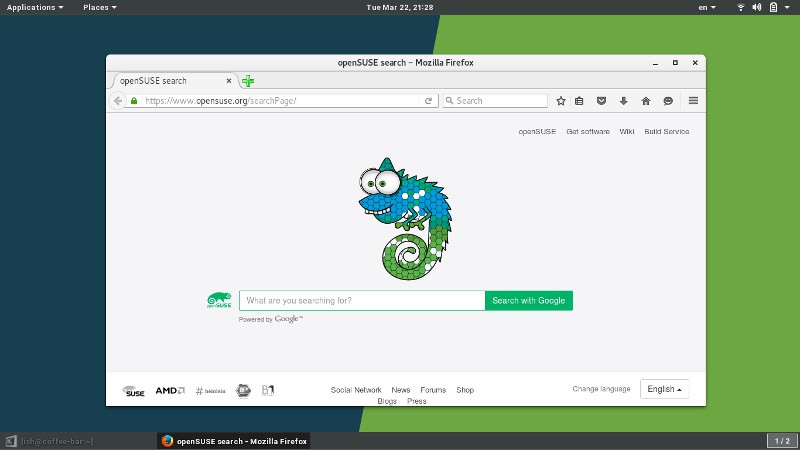
To instantly view the changes made to the gtk.css file, press Alt + F2, type r in the dialog box and press enter. It reloads the GNOME Shell.